Oria is the interface
Your team asks for the application, builds it in a session and uses it. One place for the request, the build and the daily work.
Oria matches your bank statements against your accounting ledger with the rules your team already applies, and sends only the doubtful movements to a person. Every run stays on record.
 SOC 2 Type IIISO 42001Oria by ARPIA
Which banks, which system holds the ledger, how you match today. A specialist answers.
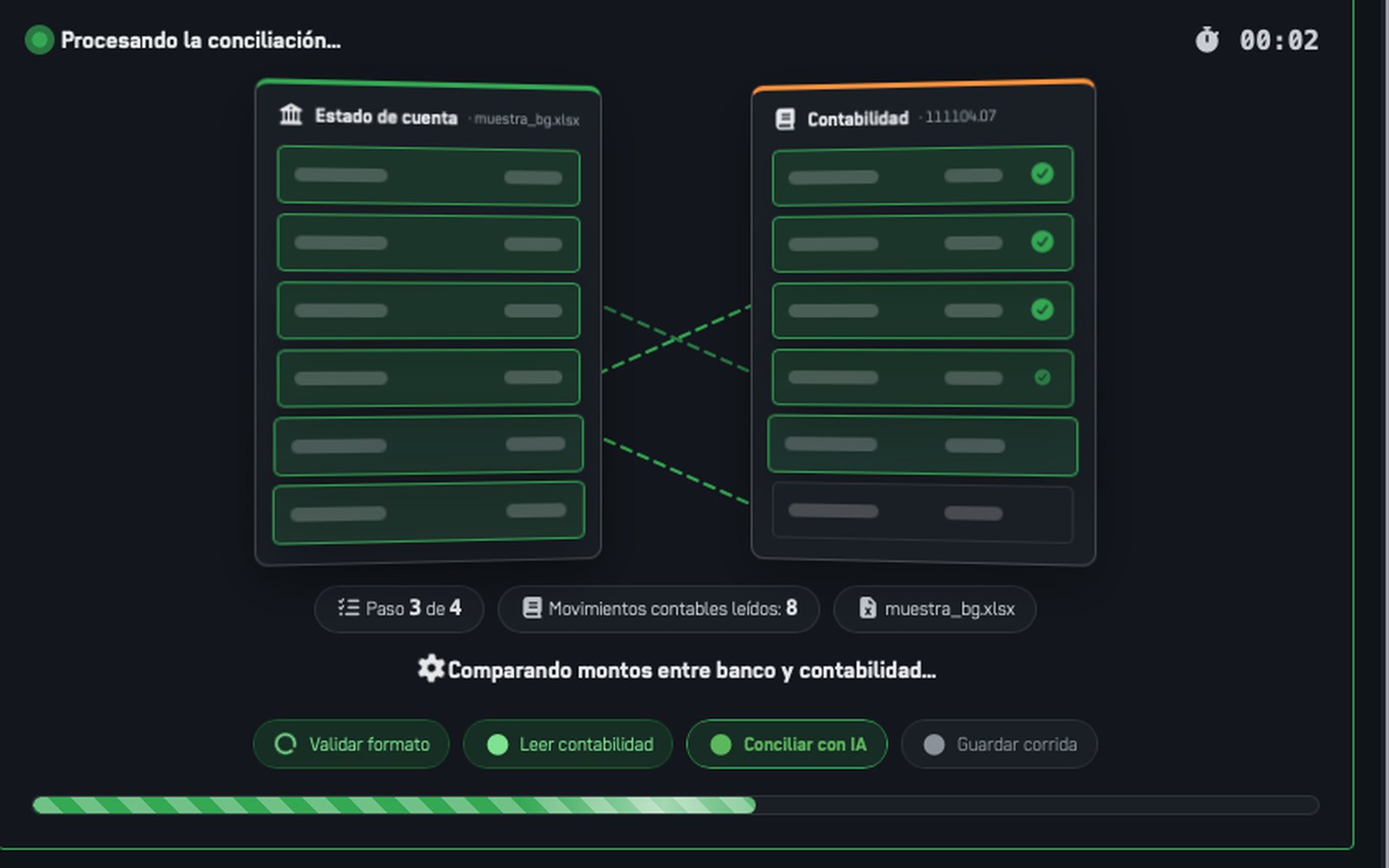
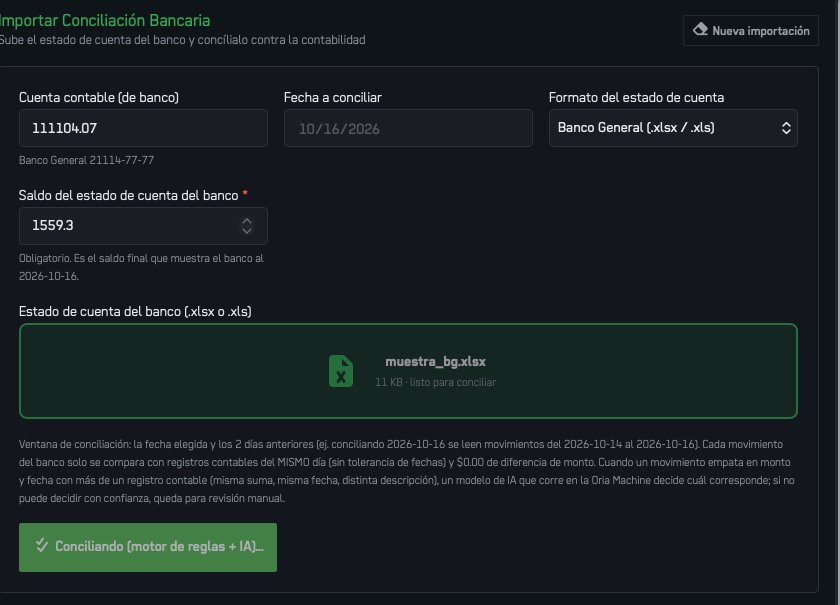
Every screen on this page is an application built with Oria and running on a company's data. Figures are the ones of that company or of a demo; none of them is a promise about yours.
The data exists. It lives in different places and formats, so a person ends up doing the matching by hand, at the worst moment of the month.
Finance keeps the decisions. The application does the reading, the comparison and the record, and asks a person only when it cannot decide with confidence.
Point Oria at the accounting ledger, in your ERP or accounting database, and upload the bank statement as the bank delivers it (.xlsx or .xls).
The matching window, the amount tolerance, how to treat bank charges, who may approve a difference, who may see which account.
The reconciliation app opens in your governed workarea. Finance uses it at every closing; the ERP stays exactly as it is.
The application complements the systems you already run. It does not ask you to replace the ERP or the CRM: they stay the source of record, and Oria writes back to them only through the governed actions you define.
Oria is the interface for asking, building and using business applications. ARPIA is the operating system underneath: the data, the models, the permissions, the rules, the audit trail and the infrastructure that make the application safe to run.
Your team asks for the application, builds it in a session and uses it. One place for the request, the build and the daily work.
It connects your data and systems, the models, permissions, rules, audit and infrastructure. The application runs on it; your systems stay the source.
Anthropic, OpenAI, Gemini, open models or your own: assigned by configuration. Change the model and the application keeps working; nothing is rebuilt.
Data, business logic, applications and the record of every action remain under your company's control, in your workarea or your datacenter.
Oria is the application layer of the ARPIA Enterprise AI Operating System. How the operating system works, on arpia.ai →
ARPIA holds SOC 2 Type II and ISO 42001, both audited by A-LIGN across the platform Oria runs on. The reports are available on request.
In your workarea, on infrastructure ARPIA runs in the region you choose at signup: LATAM, the United States or the United Kingdom. For a higher bar, the platform deploys inside your datacenter. Your systems stay the source; Oria works on a governed reflection of them.
No. ARPIA runs isolated from the model providers under zero data retention contracts, and each workarea is its own tenant.
What you define. Every person opens the application with their own permissions inside the workarea: the Pro seat that built it shares it, and each seat sees the data its role allows.
Oria builds on the systems you already run and the files you provide: databases, exports, documents, APIs. The application reads live data from them and writes back only through governed actions, with approval where you want it.
Every action, with who ran it, on what data, with which model and at what cost. Oria never writes to your live systems on its own.
Yes, by configuration. The application is built on your data and rules, not on a model, so a new model does not mean a new application.
The statement as the bank delivers it, as .xlsx or .xls. If your bank delivers another format, you describe it in the session and Oria adapts the application.
No. The ledger stays in your ERP or accounting system. Oria reads it and writes back only through the governed actions you define, with approval where you want it.
It goes to a manual review queue. When several entries could match, a model decides only when it can do so with confidence; otherwise the movement waits for a person. Nothing is forced.
Yes. The account and the date are chosen on each run, and every run is saved on its own, so month end has one record per account.
The people you give access to in the workarea, with ARPIA's permissions. The Pro seat that built the application shares it; Basic seats open it with their own permissions.
It is built in a session with Oria. How long that takes depends on your data, your rules and how many systems are involved, so we would rather see your process first than promise a number.
A Pro seat at $50 per user per month to build and share, Basic seats at $15 per user per month to use the application, and a prepaid wallet for the AI that you size and cap. Every new workarea starts with $100 of credit, and nothing is charged until you add billing details. Prices on the home page.
Create a workarea and build it yourself with $100 of credit, or send the form and review the case with the team first.
Pricing: a Pro seat at $50 per user per month, Basic seats at $15, and a prepaid wallet for the AI. Nothing is charged until you add billing details.