ORIA BY ARPIA

The AI that already knows how your company works.

You have an AI assistant. What you do not have is one that reads your systems, remembers what your organization decided last quarter, and can act on it with a record of every step.

SEE ORIA WORK a question, reasoning on governed data, an answer

What is different in the first ten minutes.

Nothing here needs a project plan. You sign in, point Oria at something you already care about, and it works from what your organization knows rather than from what the internet knows.

Ask in your own words

No prompt technique to learn. Ask about a customer, a month, a process. Oria decides which of your systems to read and shows you the path it took to the answer.

It writes, not only reads

Most assistants stop at a summary. Oria runs the governed actions your business already defined, under the same permissions your people have, and asks before the ones that matter.

It keeps what it learns

Correct it once and the correction becomes institutional. The rule you explain today is the rule it applies next month, with the reason and the author attached.

You can see the cost

Every turn is priced against a budget you set. There is no month where the bill is a surprise and no way for one heavy user to spend the whole pool quietly.

One session that reasons, builds, models and executes.

These are not four products. They are four things the same session can do, on the same governed data and the same permissions.

PLAY THE DEMO

Reasoner

Ask, and it reasons over your governed data and your institutional memory. Dashboards, maps, relationship graphs and timelines come out of the conversation instead of a ticket.

PLAY THE DEMO

Coder

It writes and runs code against your own model of the business, inside your security policy, with a review gate before anything ships.

PLAY THE DEMO

Workbench

Author the ontology itself: the nodes, the relations and the tables behind them, with permission gates on propose, apply and sample.

PLAY THE DEMO

Oria Machine

A governed execution environment. Code runs in its own pod with your scope and permissions, its own storage, and human approval where it counts.

Most of what you open another app for, a session can just do.

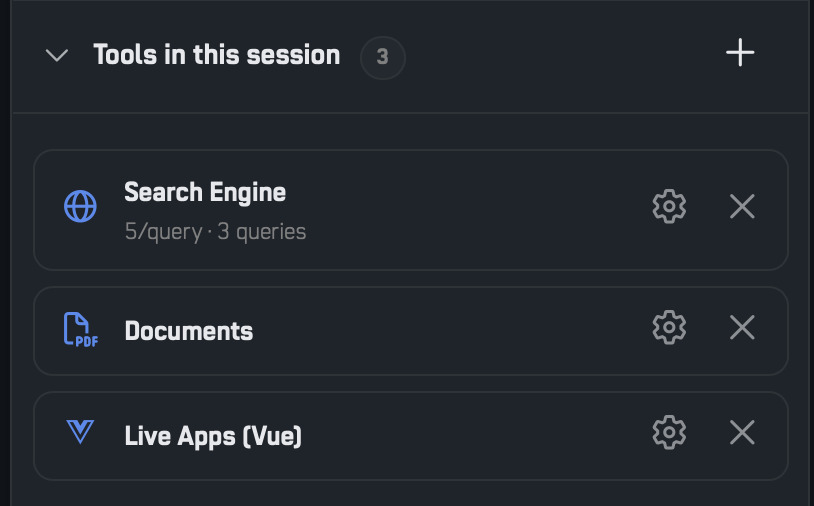
A question that ends in a spreadsheet is a question you get to ask again next month. Oria builds the thing itself, connected to the data it was built from, versioned and kept with the session. Every tool below is listed, configurable and removable, so what the AI can reach stays a decision somebody made.

Dashboards

KPI tiles and charts laid out together from the data the session is already reasoning over.

Documents

Real PDF, Word, PowerPoint and Excel files, styled with your document design system and handed over as a download.

Work Boards

Kanban with per stage counts, WIP limits and aging. It writes the status back where a governed action allows it.

Time and Events

Timelines, Gantt schedules and calendar heatmaps, with span, gap and duration analysis.

Relationship Analysis

How customers, suppliers, owners and referrals connect. Hubs, clusters and orphans read as figures.

Map Explorer

Interactive maps on the basemaps your workarea already has, with layers, controls and popups.

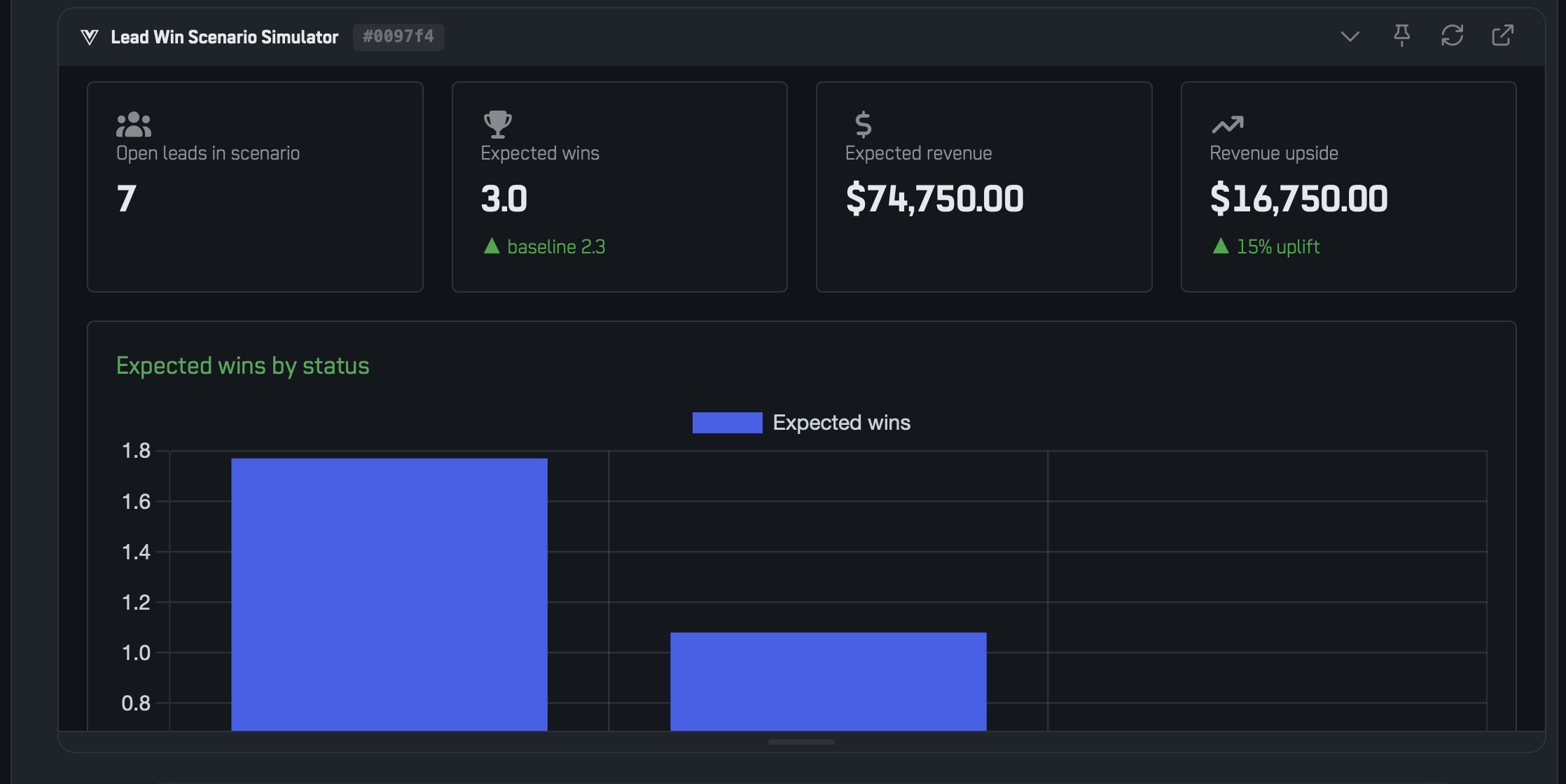
Simulators

What if sliders that recompute the output live from the formula behind it.

Live Apps

A connected app built for the job: lookups, reconciliation views, form driven query builders. Oria writes the components, ARPIA compiles them.

Image Studio

Visuals generated and edited in the session, dropping straight into the documents and decks it produces.

Oria Database

Storage that outlives the session, for the analysis and the small apps that are not ready for the organization ontology.

A role opens with its own kit.

An Expert holds its own ontology nodes and its own tools, so the person chasing collections and the person writing a proposal do not both start from the same blank session. Set the kit once and everyone in that role opens with it.

  • Tools are enabled per session, and per Expert, not per account.
  • What the session produced stays with it, versioned, instead of being a message somebody has to find again.
  • Web search and page reading are tools like any other, on when you want them and off when you do not.
The Session Tools panel: the artifact tools a session can enable, each one configurable

Institutional memory, not chat history.

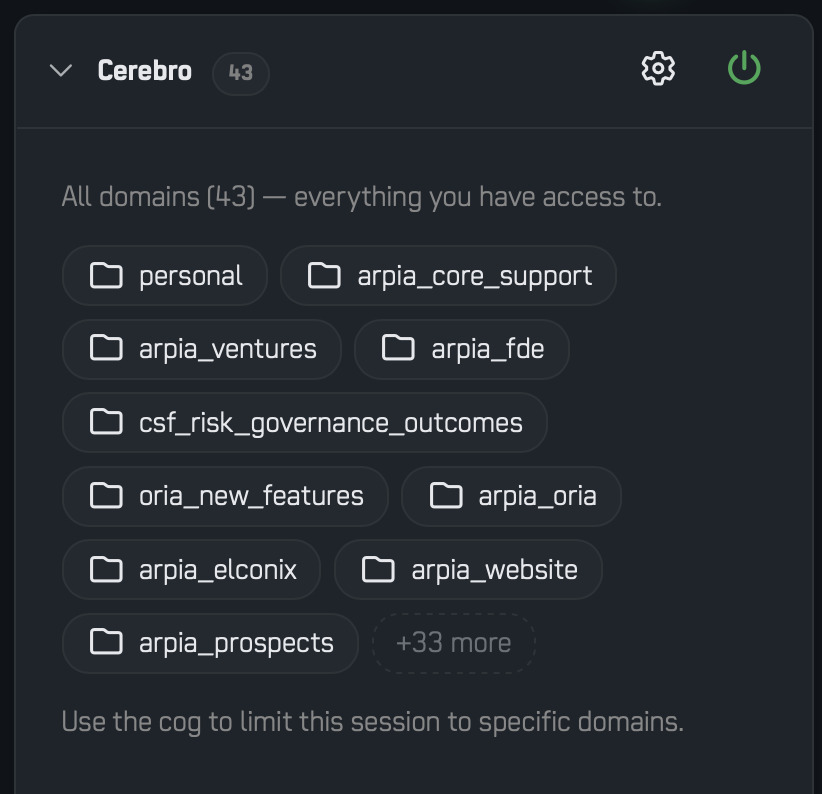
Cerebro is where your organization writes down what it has already settled: the rules it learned the hard way, the reasons behind the calls that worked, the procedures that actually get followed. Oria answers from it and cites what it used.

  • Organized by domain, so finance knowledge and support knowledge stay separate and each has its own readers.
  • Every answer carries attribution: which memories it drew on and who wrote them.
  • When two memories disagree, that contradiction is surfaced as the finding rather than averaged away.
  • Curated on purpose. Nothing lands in it because someone typed it in a chat window.

Cerebro comes with the account from the entry tier. It is not an add-on.

Cerebro inside an Oria session, showing the memories cited in an answer

See what it changes.

Just over a minute: a session that already knows what the organization decided, and where the answer came from.

WATCH THE FILM what institutional memory changes, in just over a minute
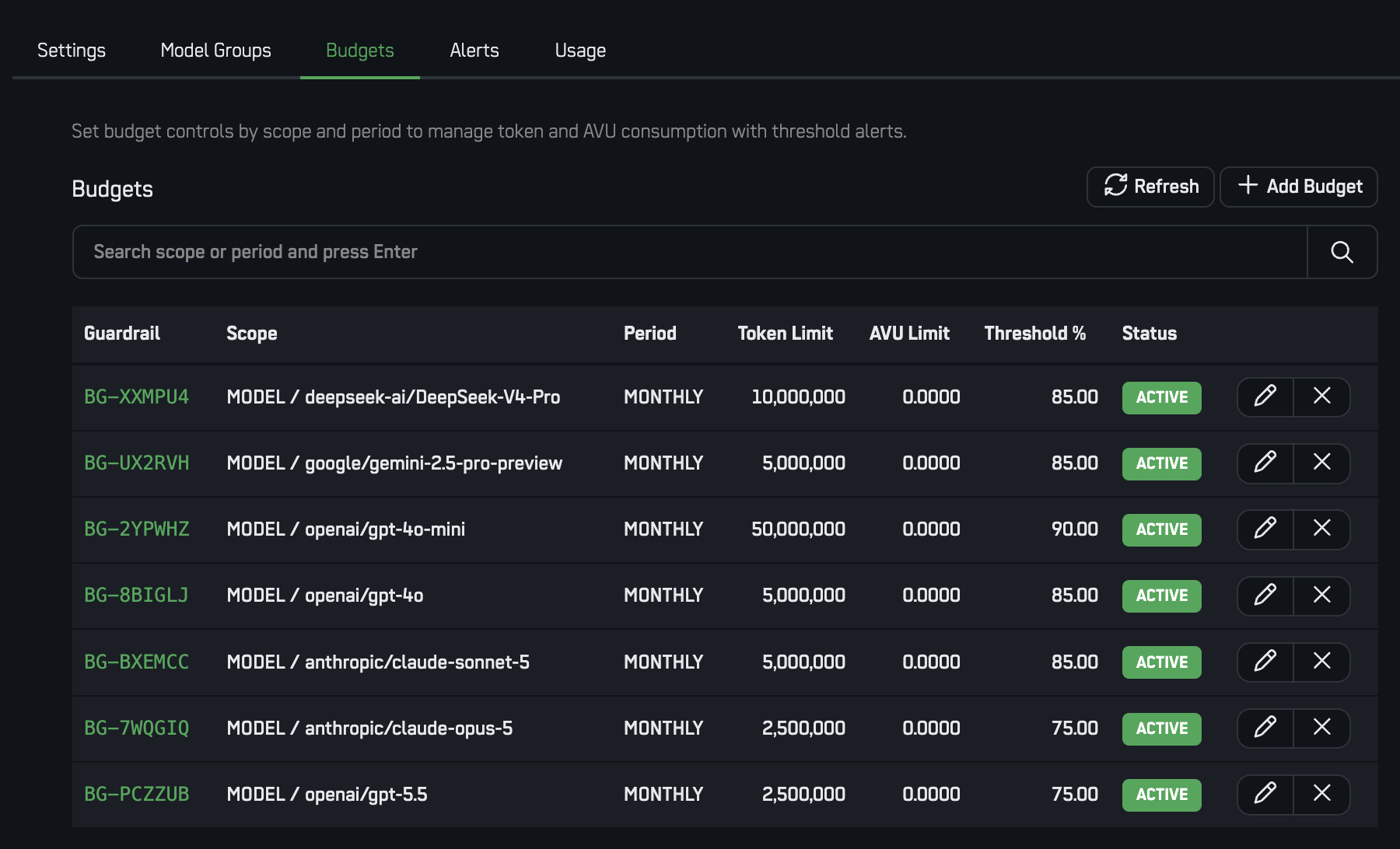
Model and budget controls: per-seat limits, hard stops and spend by model

Everyone gets AI. Nobody gets a surprise invoice.

Budgets are enforced at the point the request is made, not reconciled at the end of the month. When a limit is reached the call is refused and the person is told why.

  • You choose the models. Change the model behind a workflow without changing the workflow.
  • Global and per-model budgets, with alerts before the ceiling and a hard stop at it.
  • Every action, approval and refusal is recorded, with the cost of the turn attached.
  • Your data stays in your tenant, in the region you picked when you signed up.

ARPIA is SOC 2 compliant. Live service status is published at status.arpia.ai.

Seats for the people. A wallet for the consumption.

Two lines, and only one of them recurs. The seat is what a person costs per month. The wallet is what the AI actually consumed, which is the number most vendors hide inside the seat price.

Seats

Billed per user per month and prorated daily, so someone who joins on the 20th costs eleven days. This is the only recurring charge.

BasicOria and Cerebro for everyday work
ProHeavier reasoning, larger context, more tools
BuilderBuilds on the platform: apps, ontology, code

AI Wallet

A prepaid pool the whole organization draws from. You load it, you watch it, you top it up when it runs low. It is not a monthly fee and nothing is charged for capacity you did not use.

EnforcedLimits refuse the call, they do not warn later
VisibleSpend by user, by model and by workflow
SharedOne pool, budgeted per seat and per model

Want the numbers for a specific headcount? The sizing calculator on arpia.ai/oria prices a real deployment, seats and wallet together.

Start with your own work.

One person, one real question, one session. The organization can come later, and when it does, everything you taught Oria is already there.